Configure The Top Nav
watch video ▶
The top navbar is where you can add the important links to make it easier for the user to find them. Also, you can add dropdown menus and mega menus.
Add a Link
- Go to the Layout page and edit the Top Nav Links widget. A new window will open.
- Click on + Add external link, a new form will open.
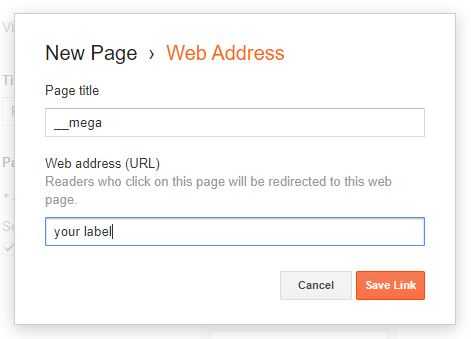
- Fill the opened form with the Page title and Web address (URL) you want to link to.
- Click on Save Link, the form will close, then, click on save.
- Go to your website to check the added link.
Add a Dropdown Menu
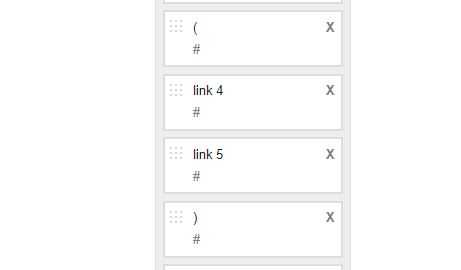
The dropdown menu is just some links that are wrapped with a link with page title ( and ) .
Here is an example:
Add a Mega Menu
The same way you add links plus the following steps.
- The Page title field must be __mega.
- The Web address (URL) field must be the label where you want to get the posts from.
Here is an example: